
The 10:40 pm message every litigator knows
It is 10:40 on a Tuesday night when the client's WhatsApp arrives: “Sir, is our matter listed tomorrow? The other side says the date has changed.” You open the eCourts app, wait for it to load, type in the CNR and find that the next date was moved last week. Nobody told you, because nothing in your system was watching.
That gap is what eCourts case tracking is meant to close. This guide walks through how advocates use eCourts today, why checking matter by matter stops working once the caseload grows, how automated tracking works under the hood, and a practical way to set it up in your own chamber.
What eCourts is and how most advocates use it today
eCourts Services is the national case-information platform built under the e-Committee of the Supreme Court of India. For district courts and many High Courts it publishes case status, hearing history, next dates, cause lists and orders. The same records are available through the website at services.ecourts.gov.in, the eCourts Services mobile app and an SMS service.
Every case registered on the system gets a CNR (Case Number Record), a 16-character code that stays with the matter from filing to disposal. It is printed on the filing receipt and at the top of orders and order sheets. The first two letters identify the state, the next two the district or court complex, followed by a two-digit establishment code, a six-digit case number and the four-digit year of filing.
In practice, most chambers use some mix of these every morning. A junior or clerk runs through the list, notes the next dates in the diary and flags anything that changed.
- Website: open Case Status, choose CNR Number, type the 16 characters, solve the captcha and search
- Mobile app: search by CNR, or scan the QR code printed on recent orders, and save the matter to My Cases
- SMS: send ECOURTS, a space and the CNR to 9766899899, and the current status comes back by reply
Official source: eCourts Services, e-Committee SMS service
Why manual tracking breaks down as the caseload grows
Checking one matter takes a minute or two once you include the captcha and a slow page. That is fine for five matters. At forty it is the better part of an hour every working day, and it is the hour that gets skipped on the days you are busiest in court.
Time is only part of the problem. The routine also fails in quieter ways, and none of them are a discipline problem. They are what happens when a daily task depends on a person remembering to repeat it across dozens of matters.
- Dates change after you have looked. An adjournment or a fresh order can be uploaded in the evening, after the morning check
- The record lives in someone's diary. When the clerk is on leave or a junior moves on, so does the knowledge of what was checked
- Official data can lag. The National Judicial Data Grid itself disclaims responsibility for delays in updating, so the portal is not always current either
- Nothing connects the date to the work. Knowing the next date is one step; getting it into the calendar, assigning the preparation and telling the client are three more
Official source: National Judicial Data Grid
How automated eCourts case tracking works
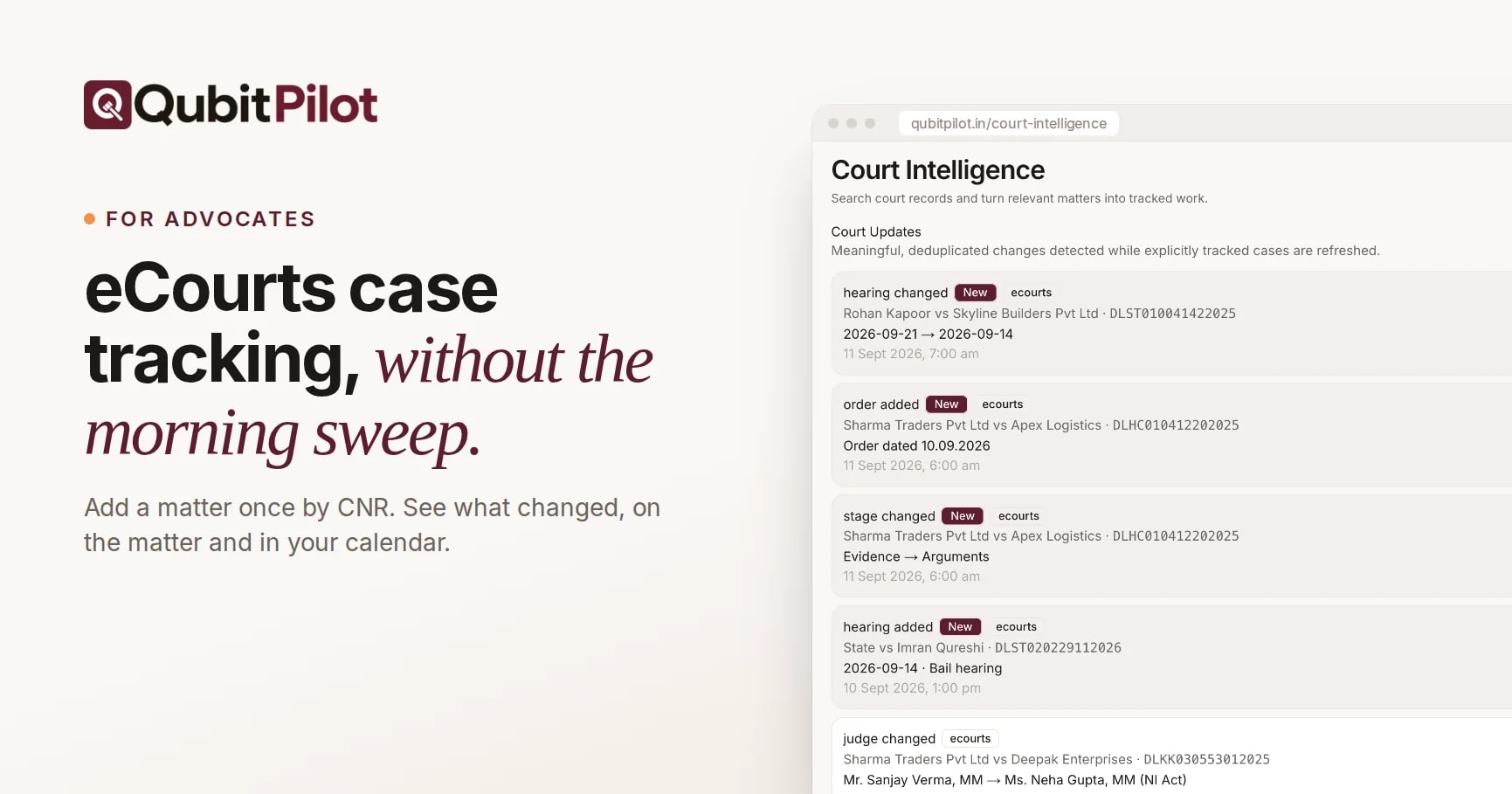
Automated tracking replaces the morning sweep with a scheduled check. You register each matter once using its CNR. The software then looks up the record on a schedule, compares what it finds with the last known state and tells you only about the matters that moved.
A useful tracker watches the fields that actually change your week: the next hearing date, the stage of the case, its status, the judge hearing it, and new orders or judgments. It records what changed and when, so you see the history rather than just today's snapshot.
Two things separate a genuinely useful tracker from a digital diary. First, it puts the update where you will see it: on the matter record, in the calendar the whole team uses and in your inbox. Second, it is honest about its limits. A tracker can only reflect what the court's system publishes, so anything that decides a filing should still be confirmed against the official record.
Setting it up in your chamber: a practical checklist
You do not need a migration project to start. Most chambers can set up tracking for their live matters in an afternoon, and closed matters can wait until you actually need their history in one place.
- Collect the CNR for every live matter from filing receipts, order sheets or an eCourts search by case number or party name
- Start with matters that have a hearing in the next 30 days, then add the rest of the active list
- Link each CNR to the client and matter it belongs to, so an update lands next to the documents and tasks
- Decide who gets alerts: the advocate on the matter, the clerk who manages listings, or both
- Keep hearing dates in one shared calendar, connected to the calendar people already check on their phones
- Hold a short weekly review of what changed, and confirm anything important on the official record before acting
How QubitPilot handles eCourts case tracking
QubitPilot was built around this workflow for advocate accounts. You add a matter once with its CNR, and the party names, court, stage and next date come through onto the matter record. Registered matters are checked daily. When the next hearing date, stage, status or judge changes, or a new order or judgment appears, the change shows up in an updates feed, on the matter itself and in an email alert.
Hearings sit in the same calendar as your tasks and deadlines, with optional two-way sync to Google Calendar, and orders are saved against the matter as they appear. Because the matter record also holds the documents, tasks and billing, the next step after an update is one click away instead of in another system. Coverage follows what the eCourts record publishes for each case, so we still recommend confirming anything that decides a filing against the official record.
Read more: Court hearing tracking, Case management
Fewer surprises, not fewer checks
The point of eCourts case tracking is not to stop looking at the court record. It is to stop looking at every matter, every morning, just to find the two that moved. Let the routine check run on a schedule, spend your attention on the matters that changed, and keep the official record as the final word.
If you want to see how this works on your own matter list, every QubitPilot plan starts with a 15-day free trial with full access. Add a handful of CNRs, and within a day or two you will know whether it fits the way your chamber works.